

Each step issues a brand-new account. A trader who buys a three-phase challenge is given the Step 1 account first. Passing it does not convert that account - they receive a new account, with a new account ID, carrying the Step 2 phase’s own settings. Passing Step 2 issues the Step 3 account the same way.
Where it lives: open a challenge from Challenges, then the Phases sub-tab.
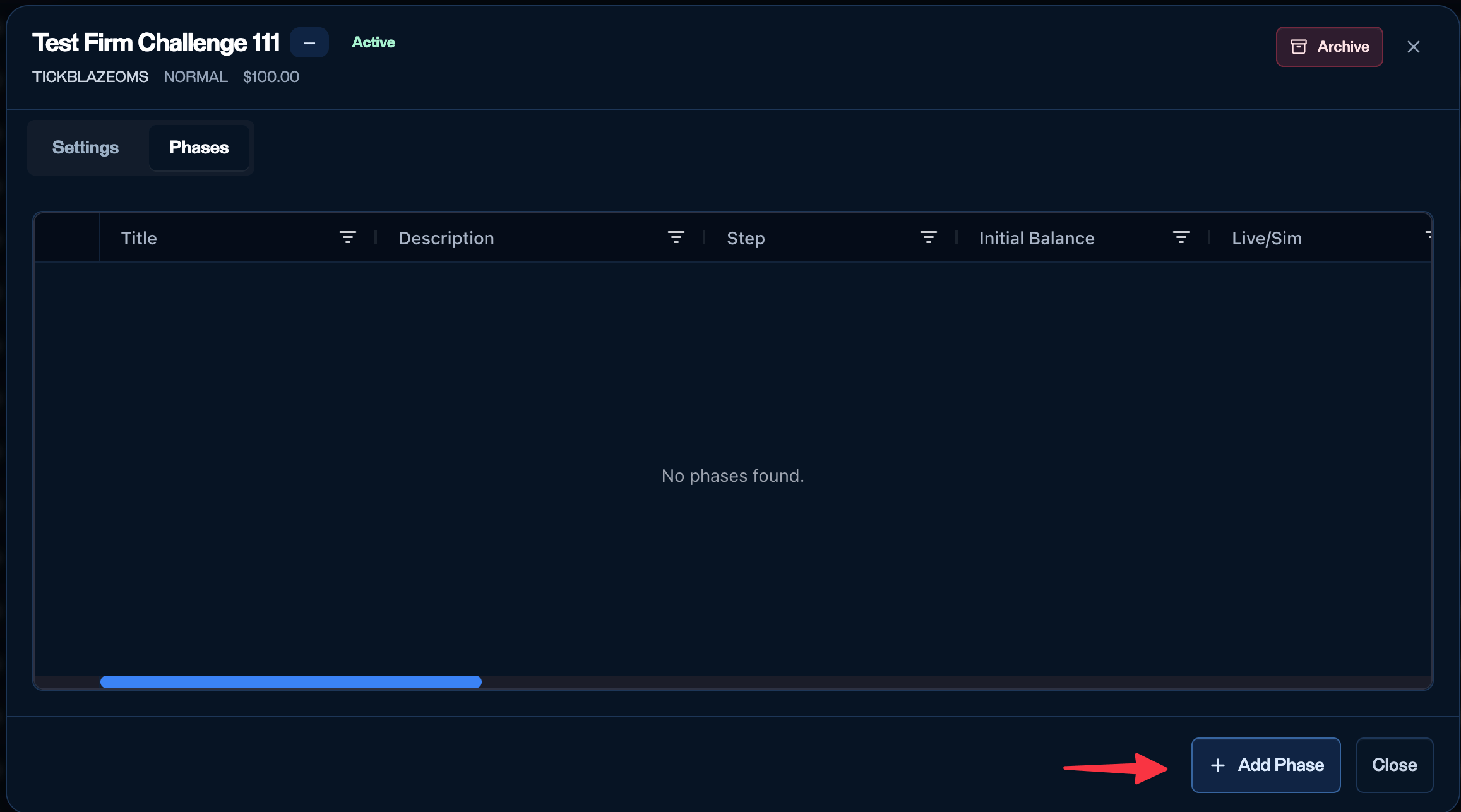
The Phases sub-tab of a challenge - add and manage its phases.
Adding a phase
Click Add phase to open the phase modal. Fill in the sections below, then Create phase.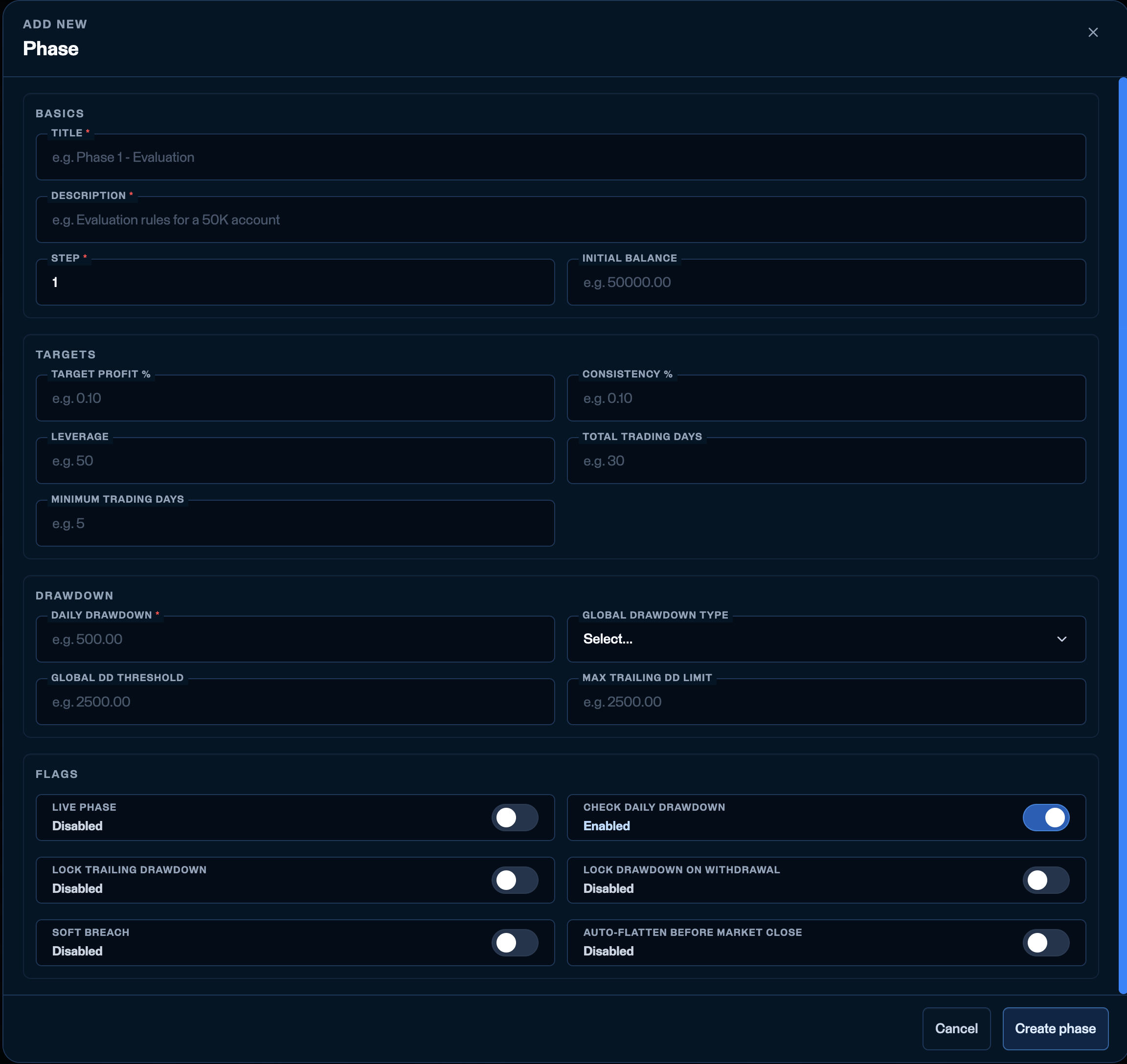
The phase modal - Basics, Targets, Drawdown, and Flags.
Basics
- Title and Description - identify the phase (for example
Phase 1 - Evaluation). - Step - which step this phase is in the sequence (1, 2, 3…). The firm chooses which step it is creating.
- Initial balance - the balance an account gets for this phase.
- Most firms keep the same balance across steps (for example 50K in Step 1, Step 2, and the funded/payout Step 3).
- Some make the funded step a smaller balance (for example 2,000–5,000) to mimic a smaller live account. Whatever balance you enter here is the account that gets created for that phase.
The zero-balance case: some firms ask for a “drawdown-only” account - the trader’s platform balance starts at
0 and the account fails once their equity drops to −1,000 (a 1,000 loss). This is not a valid phase configuration today: a valid phase requires 0 < Global DD threshold < Initial balance. Ask the Tickblaze team if you need this product shape.Targets
- Target profit % - what the account must make to complete the phase, on a 0.01–1.00 scale (
0.10= 10%). - Consistency % - optional. Records your firm’s consistency rule, on the same 0.01–1.00 scale. A consistency rule compares a trader’s largest winning day against their other days, to stop a phase being passed on one outsized day.
- Leverage -
1for stocks; leave blank for futures. - Minimum trading days - how many trading days the account must accumulate before the phase can be completed. Leave it blank if your firm counts trading days on its own side; fill it in if you want Tickblaze to enforce the count.
- Total trading days - the calendar-day window the phase must be completed inside. It starts the day the account places its first trade, and that day is day 1 - so a
30gives the trader that day plus 29 more.
Passing a phase takes both
Hitting Target profit % is not enough on its own. If Minimum trading days is set, the account must also have reached that many trading days. Step-by-step example - Target profit 10%, Minimum trading days 5, Total trading days 30. A trader reaches +10% on their first day. The phase is not complete - that is one trading day. They must open a position on four more days. Once they have five trading days and the target is still met, the phase completes. The 30-day window runs from that first trade. If the window runs out before the phase is complete, the account fails, and the reason is that the phase’s day window expired without the phase being completed - whether what was missing is the profit target, the Minimum trading days, or both.Running out of window before reaching the minimum. A trader can hit the profit target early and still run short of calendar days before accumulating enough trading days. A firm may want to extend that account’s window rather than fail it. This is not self-service today - ask the Tickblaze team to extend an account’s Total trading days. Firm-side extension is planned.
What happens when a phase is passed
The activation-fee half of this is not live yet - see Commercial Rules. Today a trader who passes a phase gets the next account regardless of how that toggle is set.
The last phase does not end
There is no step after the final one. The trader stays on that account and keeps trading it, under that phase’s rules, for as long as the firm leaves them there. Most firms leave Target profit % blank on the final phase, so there is nothing left to pass - the account simply continues. Its drawdown rules still apply in full, so it can still fail; it just has nowhere to advance to. The trader leaves that account only when your firm moves them on - typically to a live, real-money account at a broker, which happens outside Tickblaze. The same is true of a single-phase challenge: the trader stays on that one account indefinitely.Drawdown
These four fields sit in the Drawdown section of the phase modal and decide when an account fails. For the full mechanics - the three types, the “ is the touch” rule, charts with the numbers filled in, and the scenario library - see How drawdown & failure work.
- Daily drawdown - the daily loss limit in dollars. Required to have a value, but only enforced when Check daily drawdown is on (see Flags). → How the daily floor works
- Global - Static, Trailing (intraday), or End of day. Decides where the account’s anchor sits and when it moves. → The three types
- Global DD threshold - the max drawdown: the account’s overall loss limit in dollars. It sets the failure threshold (
anchor - this value), and for trailing and end-of-day types it is the anchor moving up that carries the threshold up with it. Always a hard breach. → The one rule - Max trailing DD limit - an offset that caps how high a trailing floor can climb: it stops at the initial balance plus this offset. Example: on a 50K account, a
100limit stops the floor at 50,100. Only takes effect when Lock trailing drawdown is on. → Locking a trailing floor
Flags (six toggles)
The detailed drawdown fields and rules
What each of these fields actually does when the market moves - the three drawdown types with charts, soft vs hard breach and the exact message the trader sees, which floor stops the trader first, locking, and swing accounts.
Auto-flatten - intraday vs swing
Auto-flatten before market close is the single switch that makes a challenge intraday (on - positions auto-close at session end) or swing (off - positions can carry overnight).Phase settings override challenge settings where the same field exists on both.