

Where it lives: Sidebar → Tickblaze Manager → Entitlements.
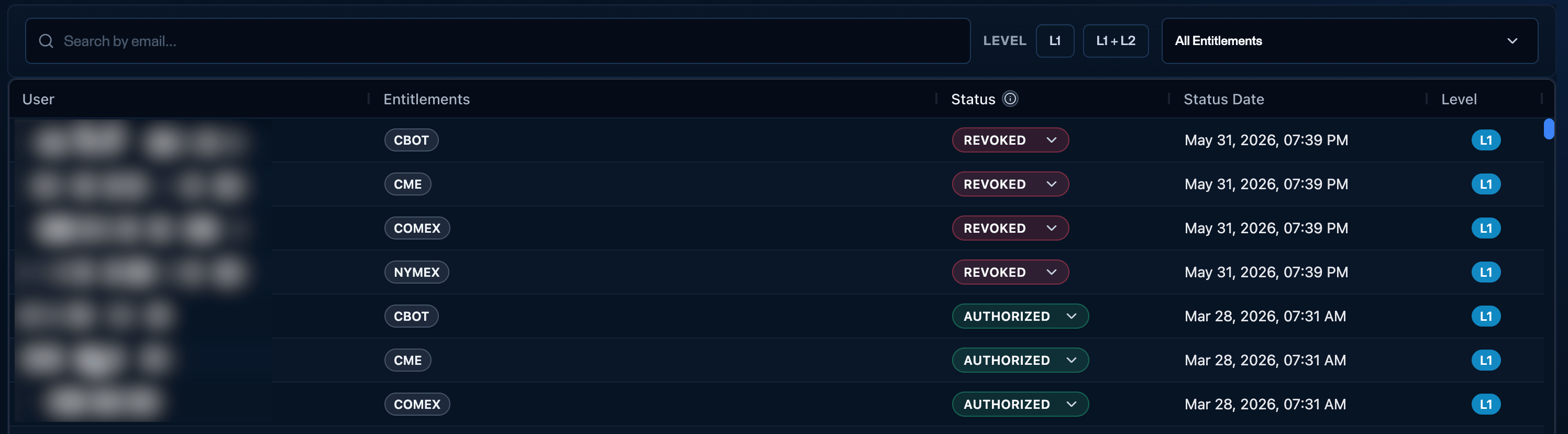
The Entitlements tab - one row per user and exchange, with status, status date, and data level.
What the grid shows
There is one row per user and exchange. A user entitled to several exchanges appears on several rows.
Filters above the table: Search by email, a LEVEL filter (L1 / L1 + L2), and an All entitlements dropdown to filter by exchange.
Status meanings

Pending entitlements - awaiting the user's Pro/Non-Pro selection and the exchange grant.
The entitlement lifecycle
Most entitlements move through these states on their own - you only step in when one is stuck.Where entitlements come from
This tab is the view layer. Entitlements are granted at the level - the Challenges → Configuration → Market data entitlements section sets them for accounts created under that challenge. This tab shows the resulting per-user state across the firm.Cross-firm: the Pro/Non-Pro classification propagates across all Tickblaze partner firms - the same rule as the Type of user column on Users. Entitlements themselves are granted per challenge and remain firm-specific.
Changing a status manually
Each row’s Status is a dropdown you can use to change it.- Pending usually resolves on its own - once the user selects Pro/Non-Pro and receives the entitlement, it becomes Authorized. You rarely authorize a pending user by hand, but you can if they’re stuck and not receiving the market data.
- Revoked → Authorized - you can manually re-authorize a revoked user to restore their market data.