

Tickblaze Ignite is multi-tenant. Every firm operates in its own scoped tenant, but the platform’s core rules - identity, , , and the audit trail - are enforced consistently by Tickblaze.
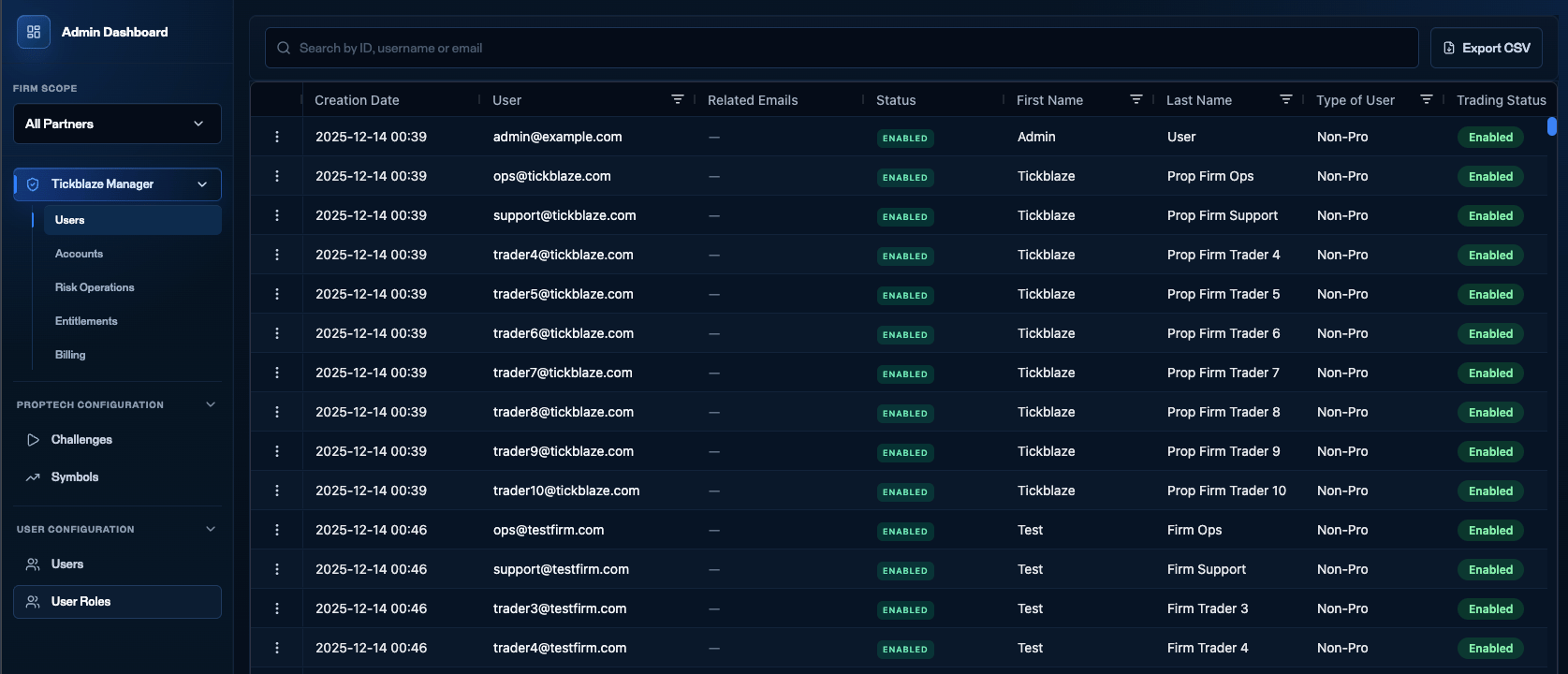
The Tickblaze Manager sidebar - the three areas you work across: Tickblaze Manager, Proptech Configuration, and User Configuration.
What you manage here
Users
Trader identity, entitlements, , and trading status.
Accounts
Balances, positions, order history, and account state.
Challenges & symbols
Evaluation products, phase rules, and the instrument catalog.
Risk & compliance
Resets, , and bulk edits.
How the platform is organized
Tickblaze Manager groups its work into a few areas, and this guide mirrors them:What’s available today
Every partner firm runs on the same core platform - Tickblaze Manager, Proptech Configuration, and User Configuration. That is the live operating set this guide covers, and every firm has it. Tickblaze Ignite is also a broader intelligence system - adding payouts and withdrawals, compliance and behavioral intelligence, competitions, rewards, and trader dashboards. That layer is being built now and rolls out over time - it is not a set of modules you can switch on request today.Features that are not live yet are marked Coming soon wherever they appear in this guide, so you always know what is available now versus what is on the way. See Coming soon for the main ones - it is a summary, not an exhaustive list, and more is in development than appears there.
How accounts are created
Accounts are not created in Tickblaze Manager. Your firm creates them through the Tickblaze API, normally from your own checkout once a trader buys a challenge. What you configure in this guide supplies the rules; the API call supplies the trader and the phase to start them on. Request and response details live in the API reference, and your Tickblaze contact walks your developers through it during onboarding. Once an account exists it appears in Accounts, and everything in this guide applies to it from that point on.This is the one part of the flow that needs development work on your side. Everything else in this guide is done through the interface.
Firm-side vs Tickblaze-side
Some behavior you control; some Tickblaze enforces for consistency across all firms.Next steps
Glossary
Get familiar with the core vocabulary.
Status definitions
Learn what each state means before you operate.