
Where it lives: Sidebar → User Configuration → Users.
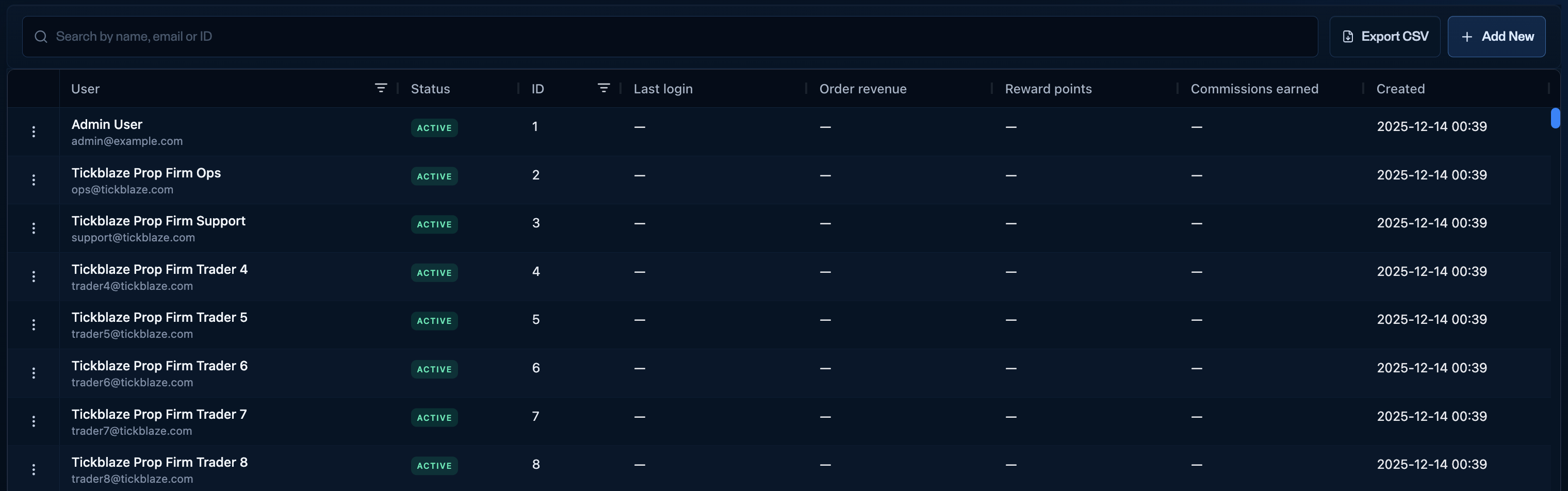
The Users tab in User Configuration - with Export CSV and Add New.
What the grid shows
Top right: Export CSV (download the full user list) and + Add new (create a user manually).
Row actions
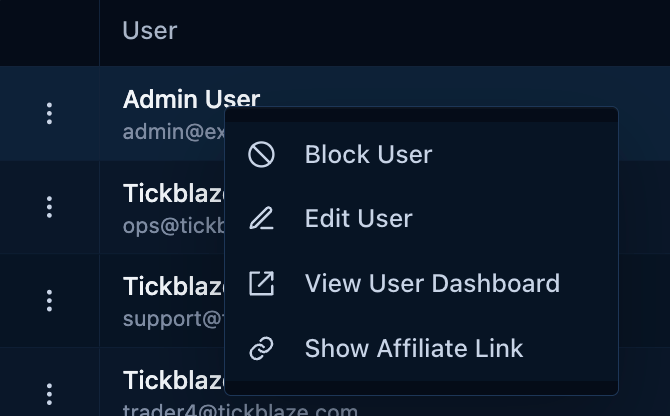
Right-click a user row for Block user, Edit user, View user dashboard, and Show affiliate link.
- Block user - blocks the user from purchasing and from taking any action on their accounts.
- Edit user - opens the Edit user record.
- View user dashboard - coming soon (see below).
- Show affiliate link - coming soon (see below).
Coming soon
Several items on this tab belong to systems still in development, and will populate with an upcoming release:- View user dashboard - will open the Ignite trader dashboard (the customer-facing dashboard). It is not live yet, so it does not open anything today.
- Show affiliate link - will surface an affiliate’s referral link once the affiliate dashboard ships.
- Reward points - a loyalty program that rewards traders for certain actions. Populates once the new updates go live.
- Commissions earned - how much an affiliate has earned. Populates once the affiliate system is live.