

Where it lives: Risk Operations → Bulk account editor.
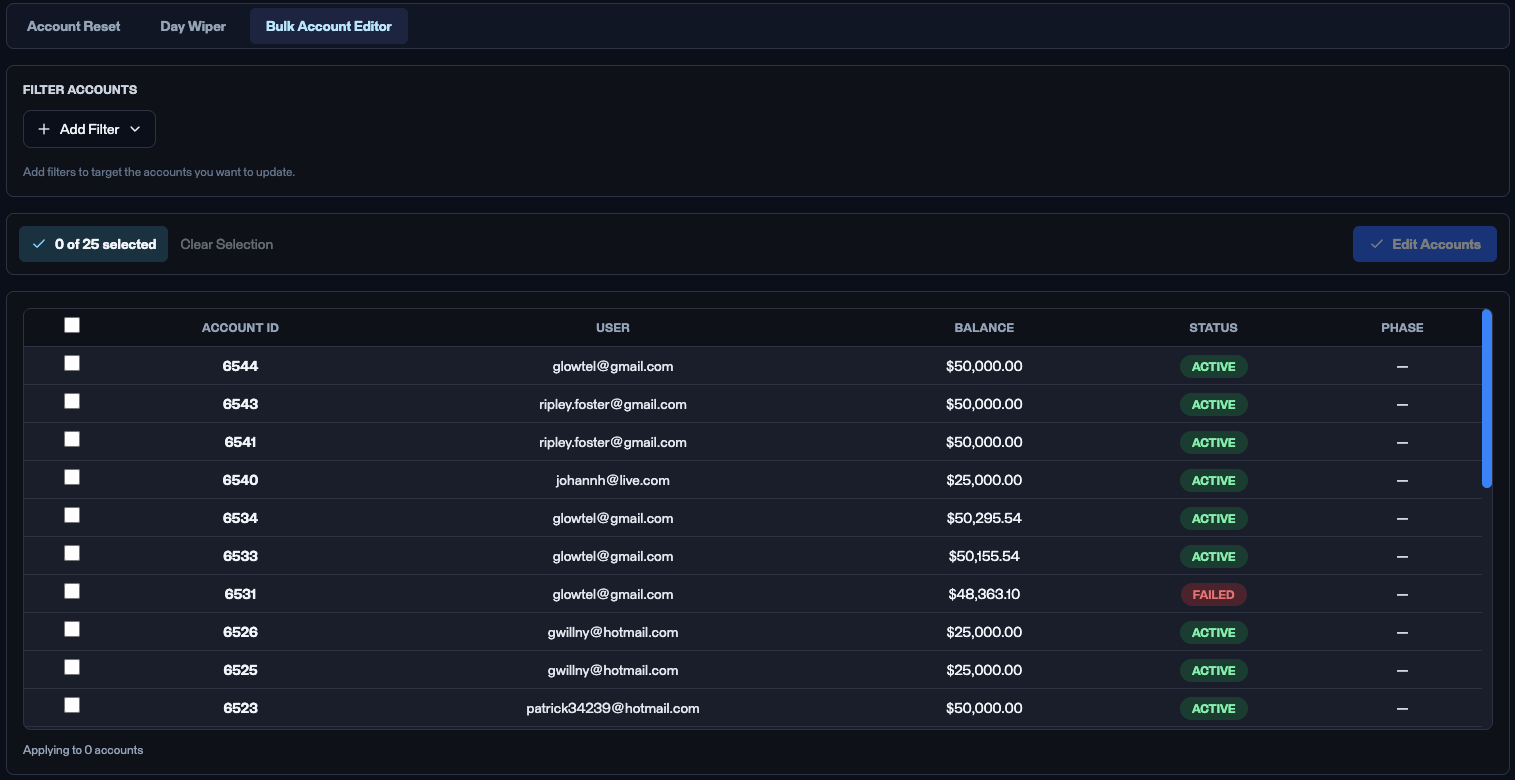
The Bulk Account Editor sub-tab.
Applied across multiple accounts, this is queued. The change is processed in the daily 5:00–6:00 PM EST window between the session close and the next open, not the moment you click. See Risk Operations.
Filter accounts
Click + Add filter to narrow the account universe before editing:
Stack multiple filters; the grid updates to matching accounts. Columns: Account ID, User, Balance, Status, Phase.
Workflow
- Add filters so the grid shows only the accounts you intend to edit.
- Review the population - confirm the count and a few identities.
- Select the rows.
- Click Edit accounts, pick the target status (Active or Failed), and confirm.
- Verify via the Account events log on each affected account.
Use cases
- Bulk Active - re-activate a cohort after a firm-side correction, for example when a platform issue caused a wave of false Failed states.
- Bulk Failed - mark a group of accounts as Failed when the decision to fail them was made outside the platform (for example after a manual compliance review), so the platform did not apply the failure itself.