

At a glance - five subtabs: Overview (balances & performance) · Positions (open/closed, and flatten selected positions) · Order History (fills & orders) · Status (state changes & account events) · Settings (balances, timestamps, account info). The header and its two controls stay visible across all of them.
The header
The header persists across every subtab. It shows the account ID, its Sim and Active badges, the owner line (name, firm, role, broker/, and ), and the owner’s email. Two controls sit at the top right:- Download Trade Data - downloads a ZIP containing two CSVs: the account’s full closed-positions history and its order history.
- Edit this section - opens the balance and account-adjustment tools.
The balance / account-adjustment area behind Edit this section is being revamped - treat it as a work in progress.
Overview
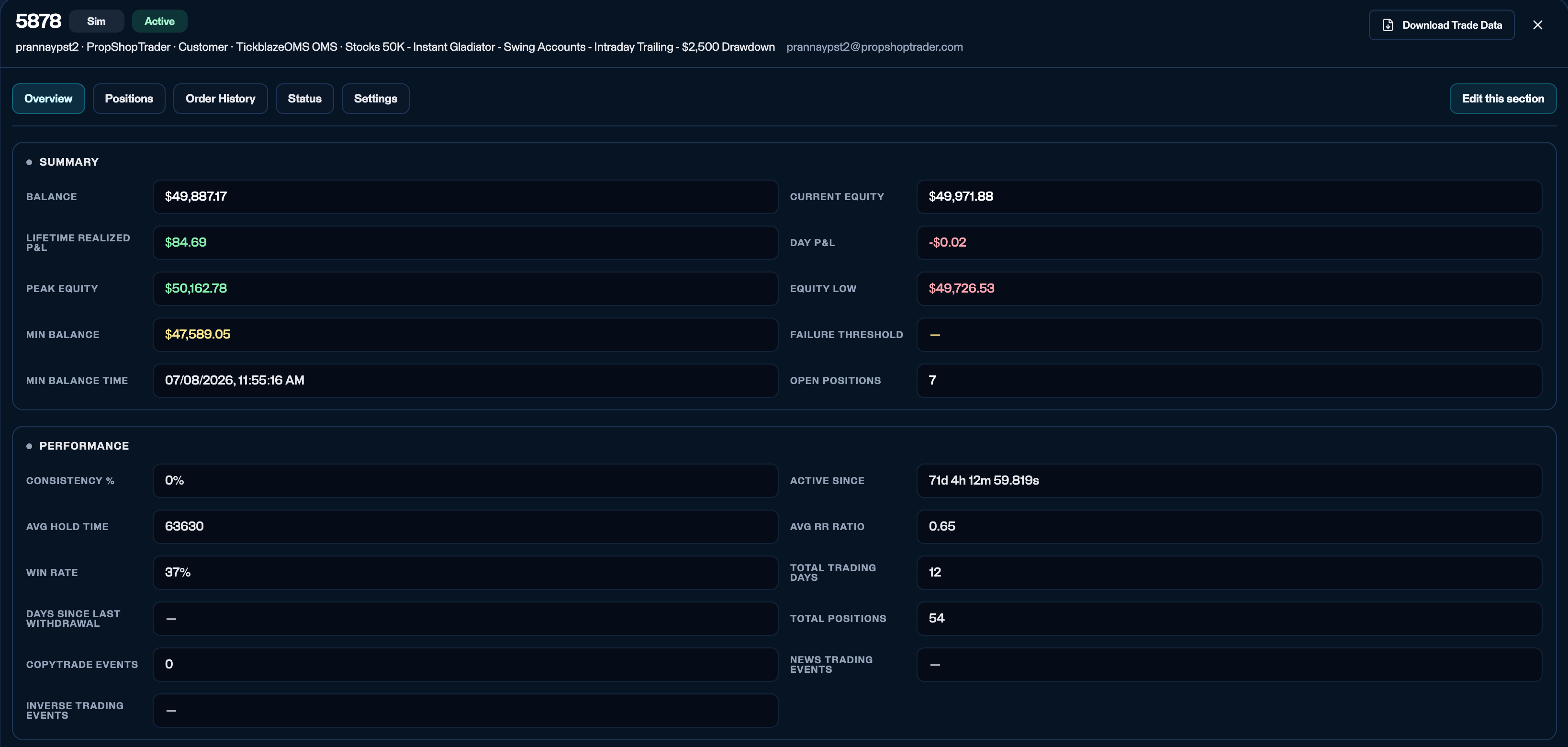
Account details - Overview: Summary and Performance metrics.
- Summary - Balance, Current , Lifetime realized P&L, Day P&L, Peak equity, Equity low, Min balance (the lowest realized balance the account has reached - an observed low, not a limit), Failure threshold (the equity floor at which the account fails - see How drawdown & failure work), Min balance time, and Open positions.
- Performance - , Active since, Avg hold time, Avg , Win rate, Total trading days, Days since last withdrawal, Total positions, and counts for three behavioral patterns - CopyTrade (orders that mirror another account’s), News trading (orders placed around scheduled economic news releases), and Inverse trading (two accounts taking opposite sides of the same trade). These three are informational today: automatic detection is still being built, so a count of
0means nothing has been flagged, not that the pattern did not occur. See Coming soon.
Positions
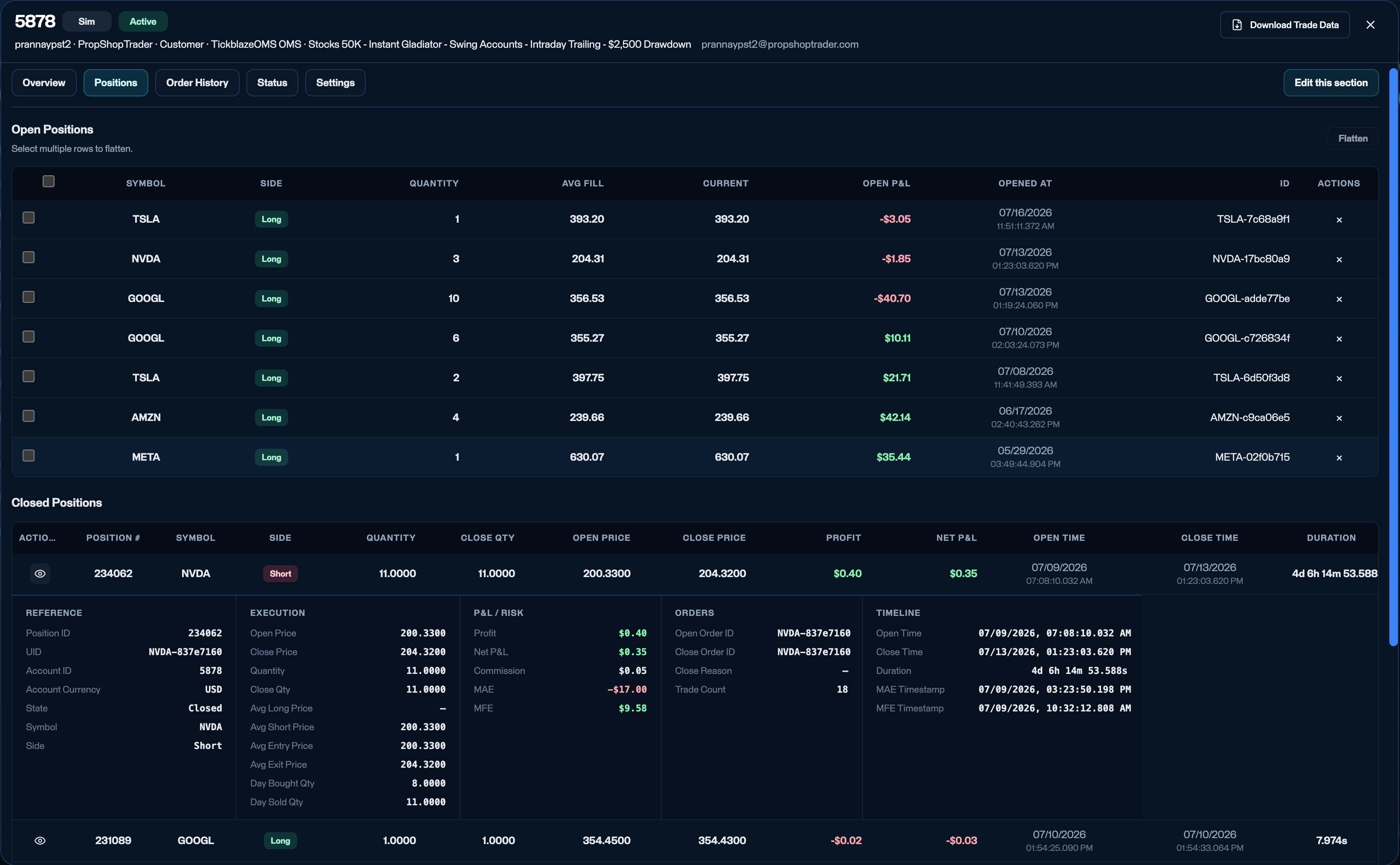
Account details - Positions: open and closed positions.
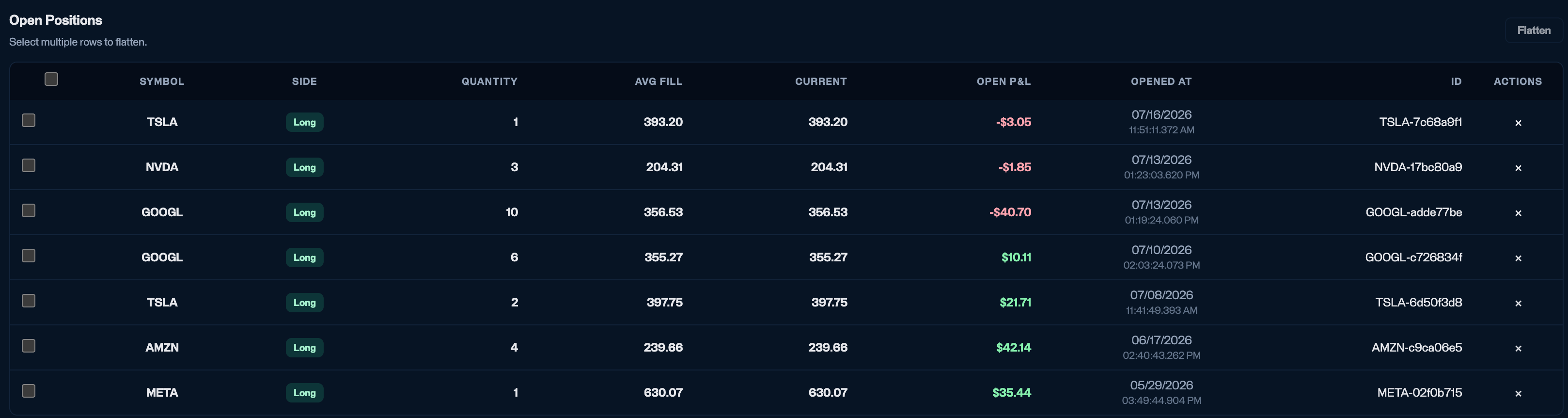
Open positions - select rows and Flatten to close them.
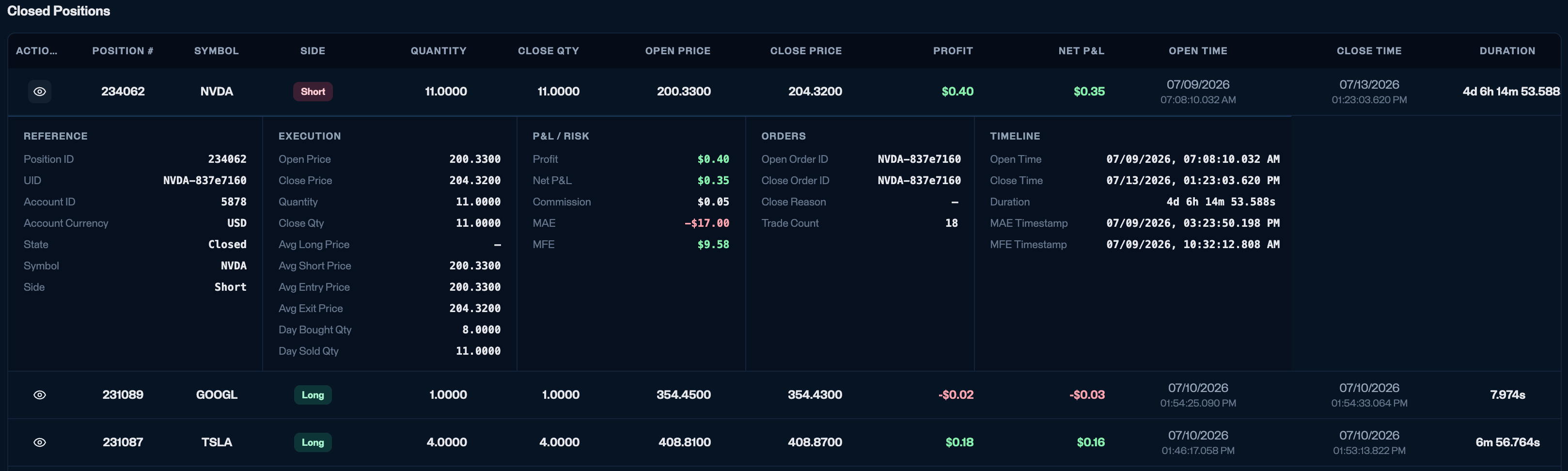
Closed position detail - expanded via the eye icon.
Order history
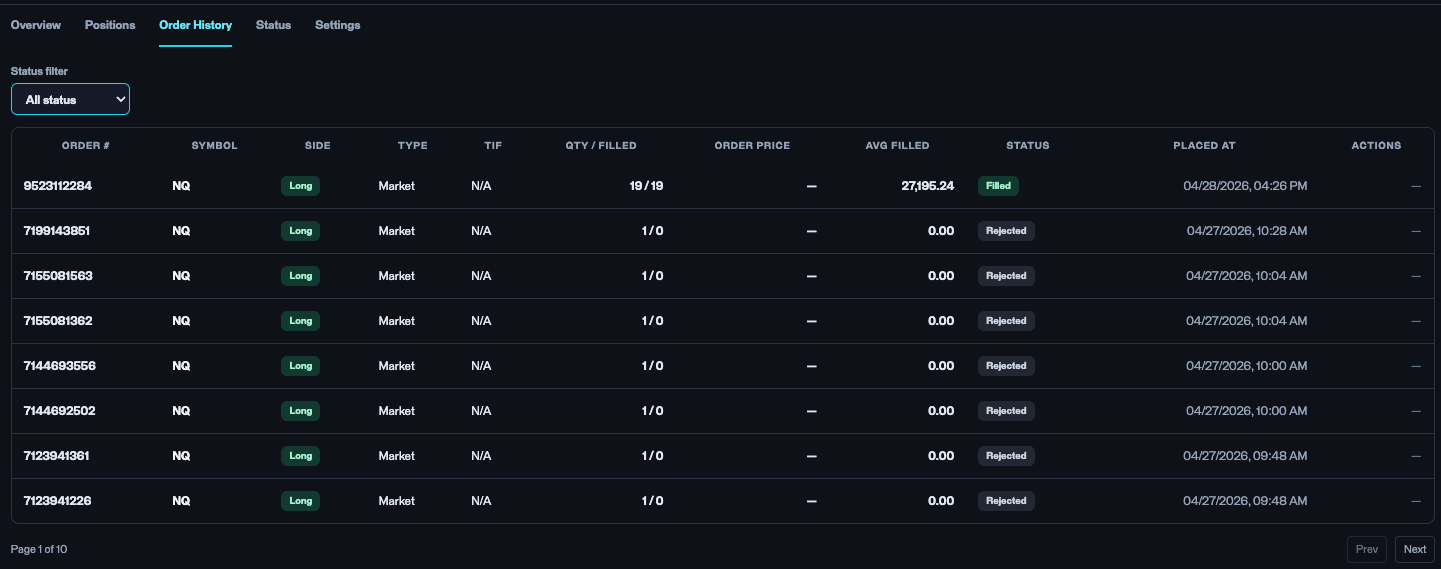
Account details - Order History.
For support: filter to Rejected or Failed and read the timestamps to reconstruct why an order did not go through.
Status
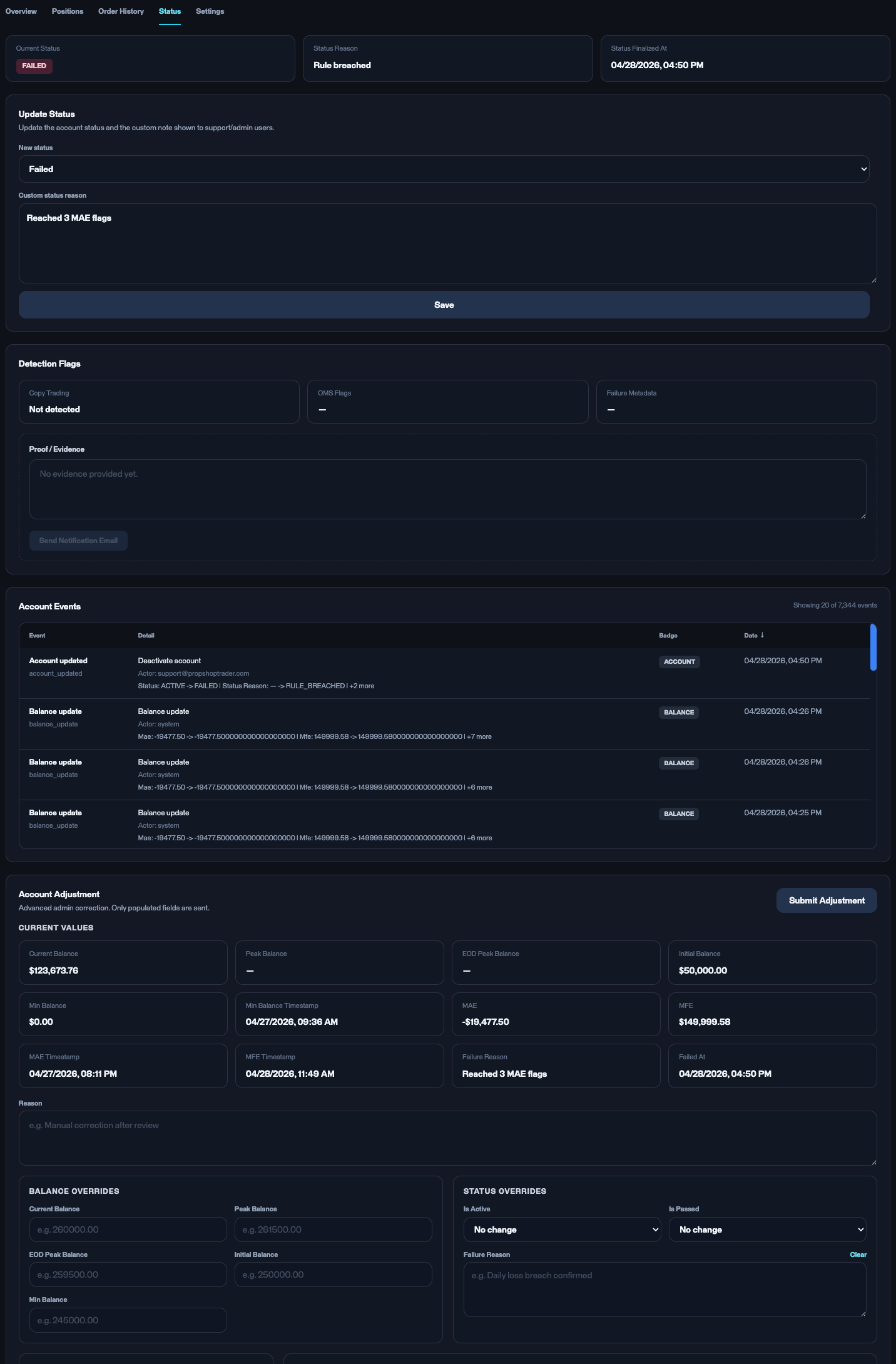
Account details - Status: update status, account events, and adjustment.
- Update status - set the account status (Active / Failed, and so on) with a custom Status reason. Every change is logged to Account events, and this is where you read why an account was failed.
- Balance adjustment - Credit, Debit or Set. It changes the account’s current balance and nothing else: it does not move the anchor, and so it does not move the Failure threshold. You can make the adjustment here, or through the API; either way it is passed down to the order management system, which applies it to the account.
- Account events - the log of what has happened to this account: status changes, balance updates, and admin actions, each with the actor and a timestamp.
- Account adjustment - a super-admin override that patches internal metrics (peak/low balances, failure reason, MAE/MFE, and status flags).
Settings
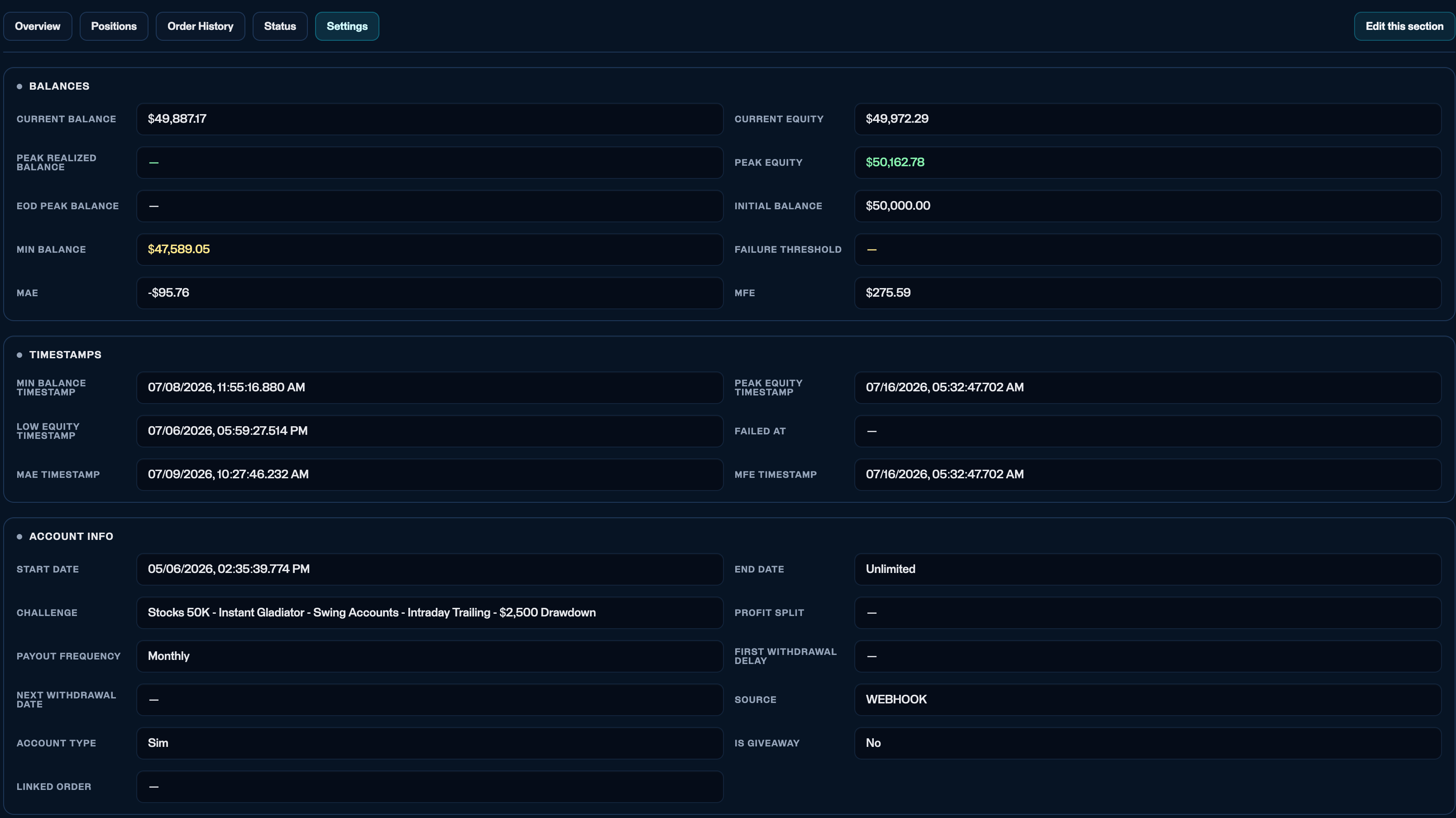
Account details - Settings: balances, timestamps, and account info.
- Balances - Current balance, Current equity, Peak realized balance, Peak equity, EOD peak balance, Initial balance, Min balance, Failure threshold, MAE, and MFE. Min balance and Failure threshold are different quantities and are never interchangeable: Min balance is the lowest realized balance the account actually reached, while the Failure threshold is the computed floor it must stay above. Six of these are the lines the drawdown charts plot - Current balance, Current equity, Failure threshold, and whichever anchor the account’s type uses (Initial balance, Peak equity, or EOD peak balance). Peak realized balance, Min balance, MAE, and MFE anchor nothing and never appear on a chart.
- Timestamps - Min balance, Low equity, MAE, Peak equity, MFE, and Failed at.
- Account info - Start date, End date, Challenge, Profit split, Payout frequency, First withdrawal delay, Next withdrawal date, Source, Account type (Sim / Live), Is giveaway, and Linked order.
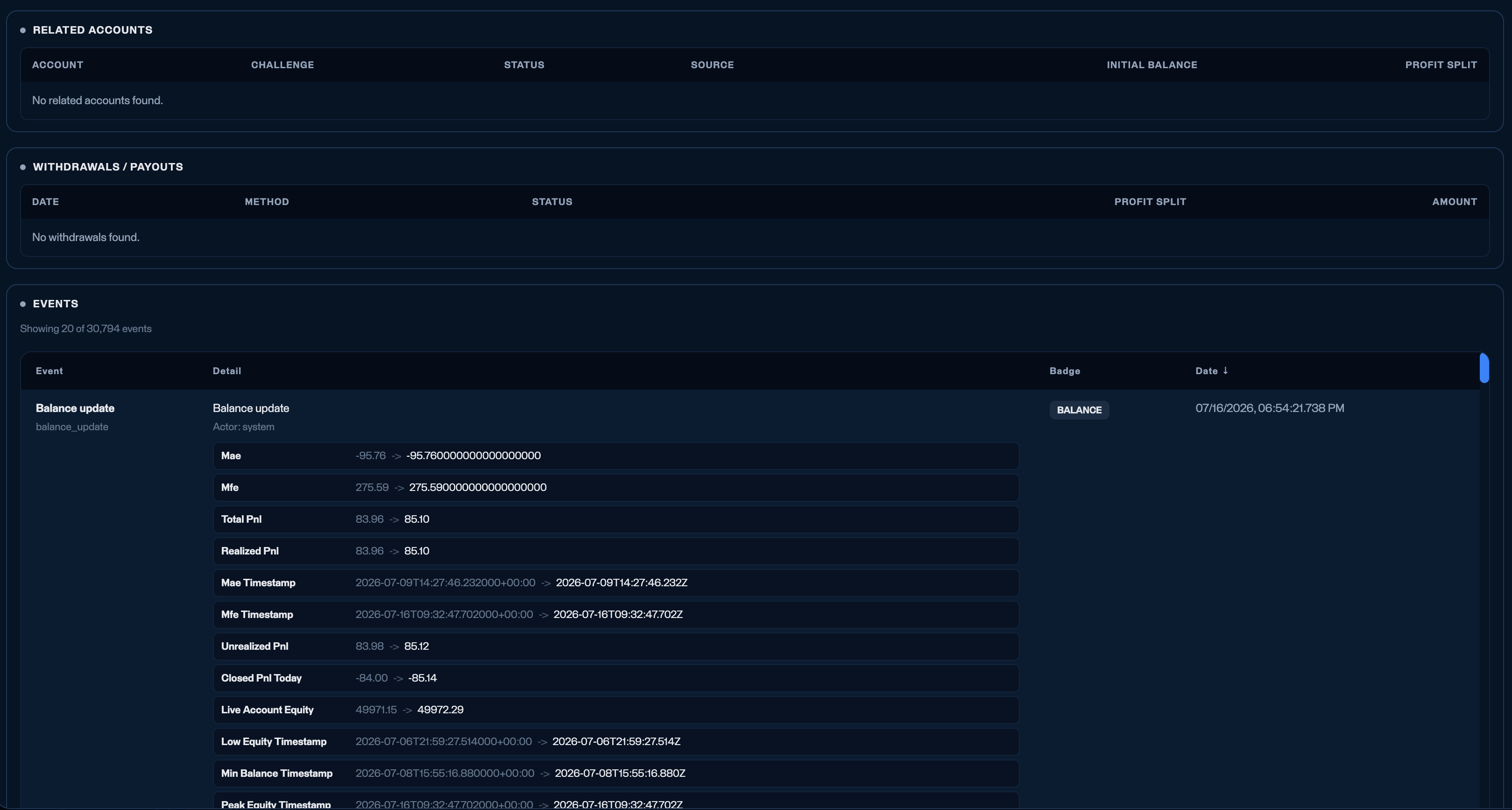
Settings - related accounts, withdrawals, and the account events log.
-
Related accounts - every account this one is linked to, from either of the two ways a new account gets issued:
- Advancing a phase. Passing a phase issues a new account for the next phase, so a Step 2 account links back to the Step 1 account it came from. See Challenge phases.
- A purchased reset. When a trader buys a reset on a failed account, they are issued a new account with the same settings, and the failed account is linked to it.
- Withdrawals / payouts - coming soon. Populates once the payout system ships (see Coming soon).
- Events - the same account-event audit trail shown on the Status subtab.